The Game Maker
In the previous lesson, you played God with a single sentence, conjuring a sky full of colorful bouncing balls. But at best, that was a "cool physics toy" — it had no interaction, no challenge, and no win-or-lose condition.
Today, we're going to bridge the gap from "spectator" to "game maker." Please take your seat in the Director's chair. In the world of Vibe Coding, the initial generated code is always an imperfect prototype. You don't need to go in and tweak numbers in the code yourself. You just need to pick up the walkie-talkie and issue continuous commands to your Agent execution team, step by step turning a toy into a real hardcore game.
The Vibe Philosophy: Small Steps, Fast Runs
Before you start issuing orders, remember this ironclad rule: Never dump a 500-word "grand game requirements document" on the AI all at once.
If you simultaneously ask it to: "Add a movable player, add a scoreboard, add a death mechanic, add explosion sound effects, plus 5 difficulty levels…" the AI's logic will most likely collapse completely, giving you a pile of broken code.
Add one feature -> Run and test for errors -> Add the next feature. This bite-sized approach to eating an elephant is professionally known as "Agile Development."
Step One: Give it "Gameplay" (Add a Death Mechanic)
Our goal is to transform the bouncing ball animation into a hardcore game codenamed "Survival: Dodge the Deadly Balls." Don't create a new file — directly issue the first directive to the Agent in the same chat window from the previous lesson:
The bouncing ball animation is really cool, but let's turn it into a real survival game!
Please make the following adjustments, keeping all other logic unchanged:
1. At the bottom center of the canvas, add a white rectangular paddle as the "player." The player can only move horizontally at the very bottom of the screen using the left and right arrow keys.
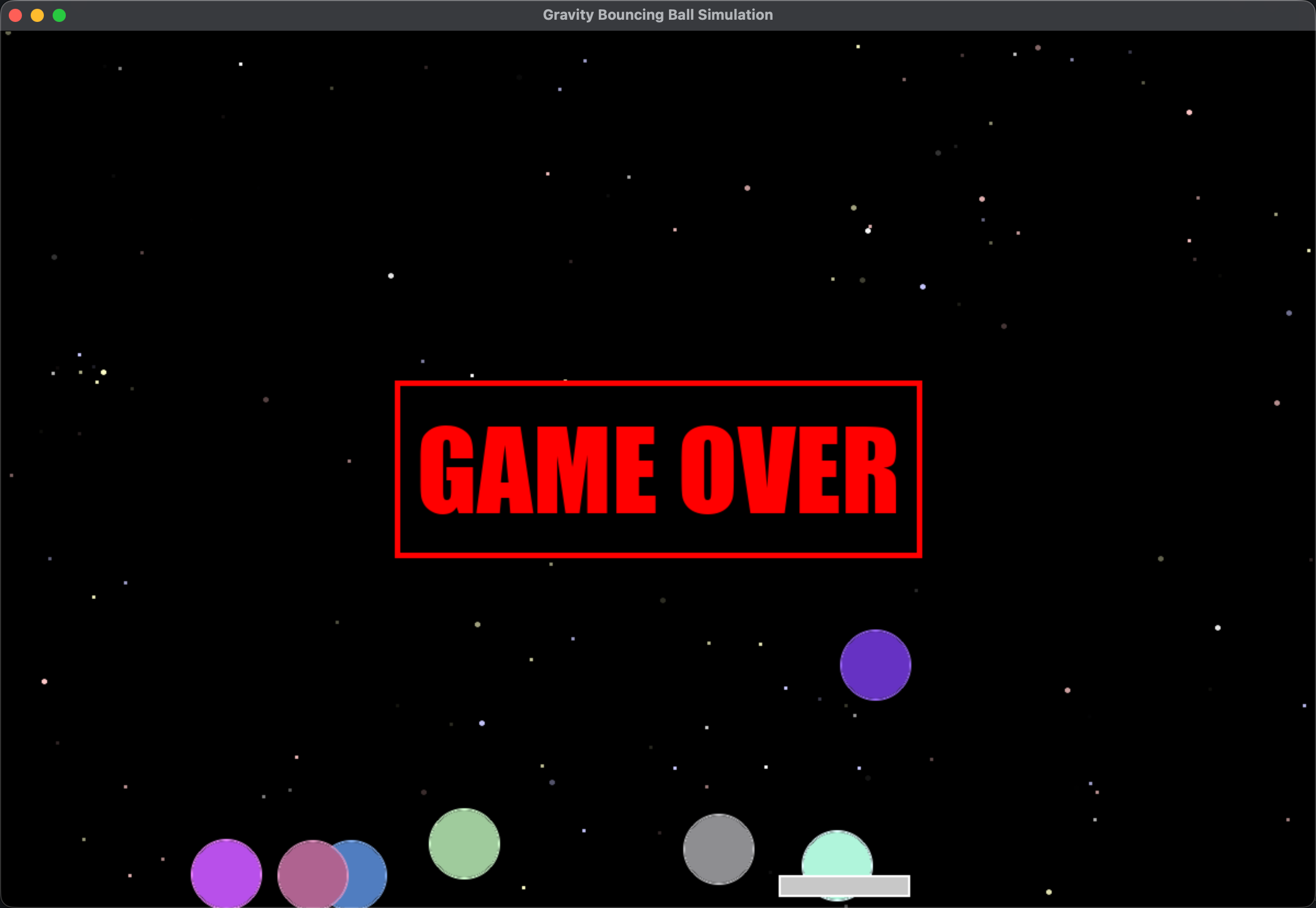
2. All the colorful balls are now "deadly enemies." If any falling ball touches the white player paddle at the bottom, the game ends immediately, displaying a huge red "GAME OVER" text in the center of the screen, and the game screen freezes.
The Agent will automatically analyze those hundreds of lines of code and precisely insert collision detection logic for you. After a few dozen seconds, run it. Put your hands on the left and right arrow keys and try it — congratulations, your program now has the concept of "life and death."
Step Two: Add "Dopamine Feedback" (Scoring and Difficulty Curves)
Any fun game must have positive feedback that makes players' hearts race and a difficulty curve that keeps increasing. After confirming the previous version has no errors, we continue stacking the second layer of logic. Sitting in your Director's chair, issue the second directive:
Awesome, now it's challenging! Let's add scoring and a difficulty system to the game:
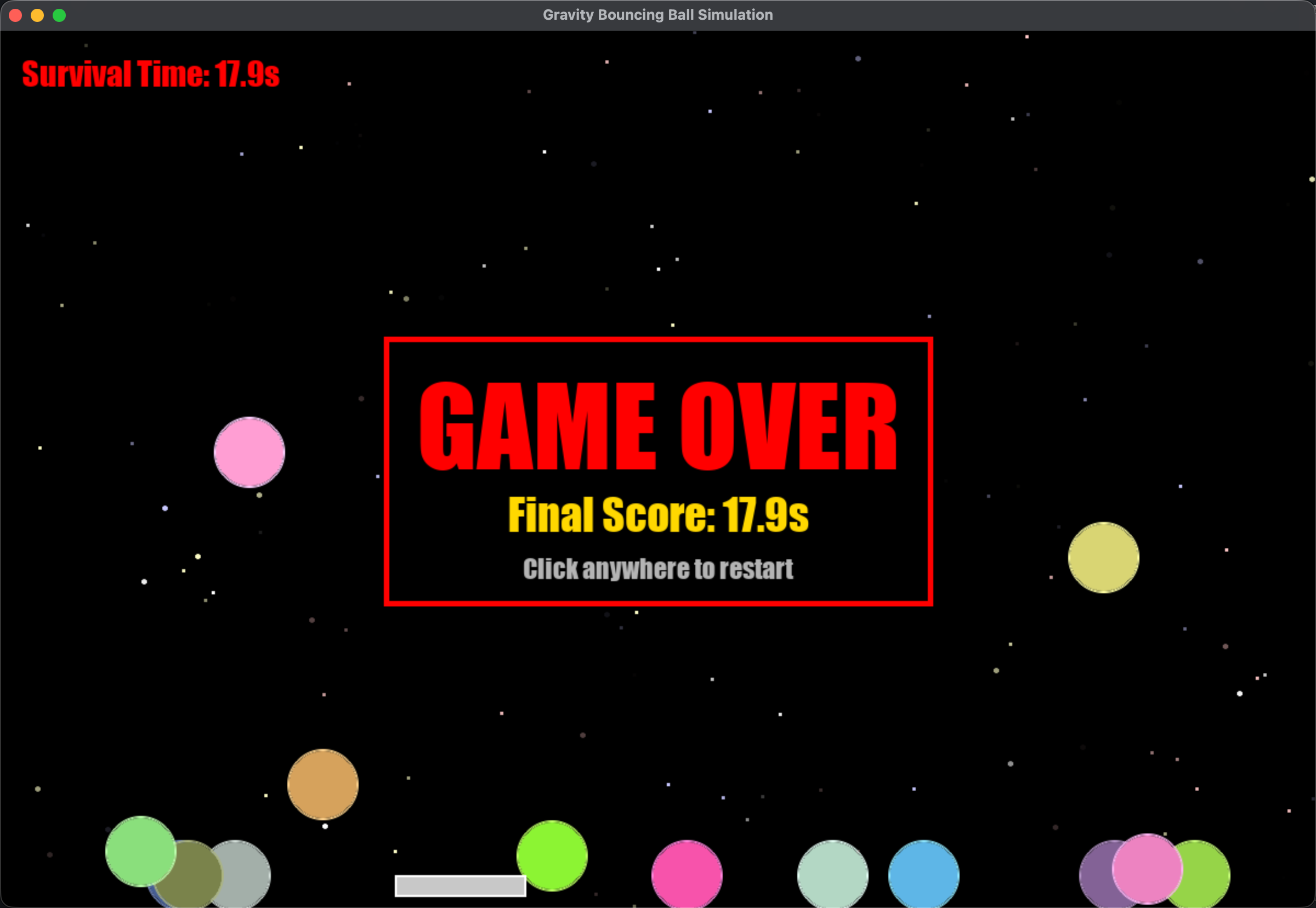
1. Please add a red "Survival Time" scoreboard in the top-left corner of the screen, counting from 0 with one decimal place of seconds.
2. To increase the thrill, please add a difficulty curve: every 5 seconds of survival time, the speed at which new deadly balls spawn from the top should increase by 20%. This means the longer you survive, the denser the balls falling from the sky.
Run it again. Watch the numbers tick in the top-left corner, and feel the balls from the sky raining down like an increasingly dense blizzard. Is your adrenaline pumping yet? You're creating "game flow" with your own hands.
Step Three: Summon "Audio Magic" (Cross-Dimensional Sound Effects)
In traditional programming, if you wanted to add sound effects to a game, you'd need to register on a sound effects website, download a suitable mp3, place it in a folder, and write a bunch of horrible audio loading code.
But in Vibe Coding, if this world has no sound, then let God create sound. Issue your final ultimate command for today:
The game mechanics are perfect now, but without any sound, it feels soulless.
Please add a "death sound effect" to the game: the instant a ball hits the paddle causing GAME OVER, play a deep "Booooom" rumbling explosion bass effect.
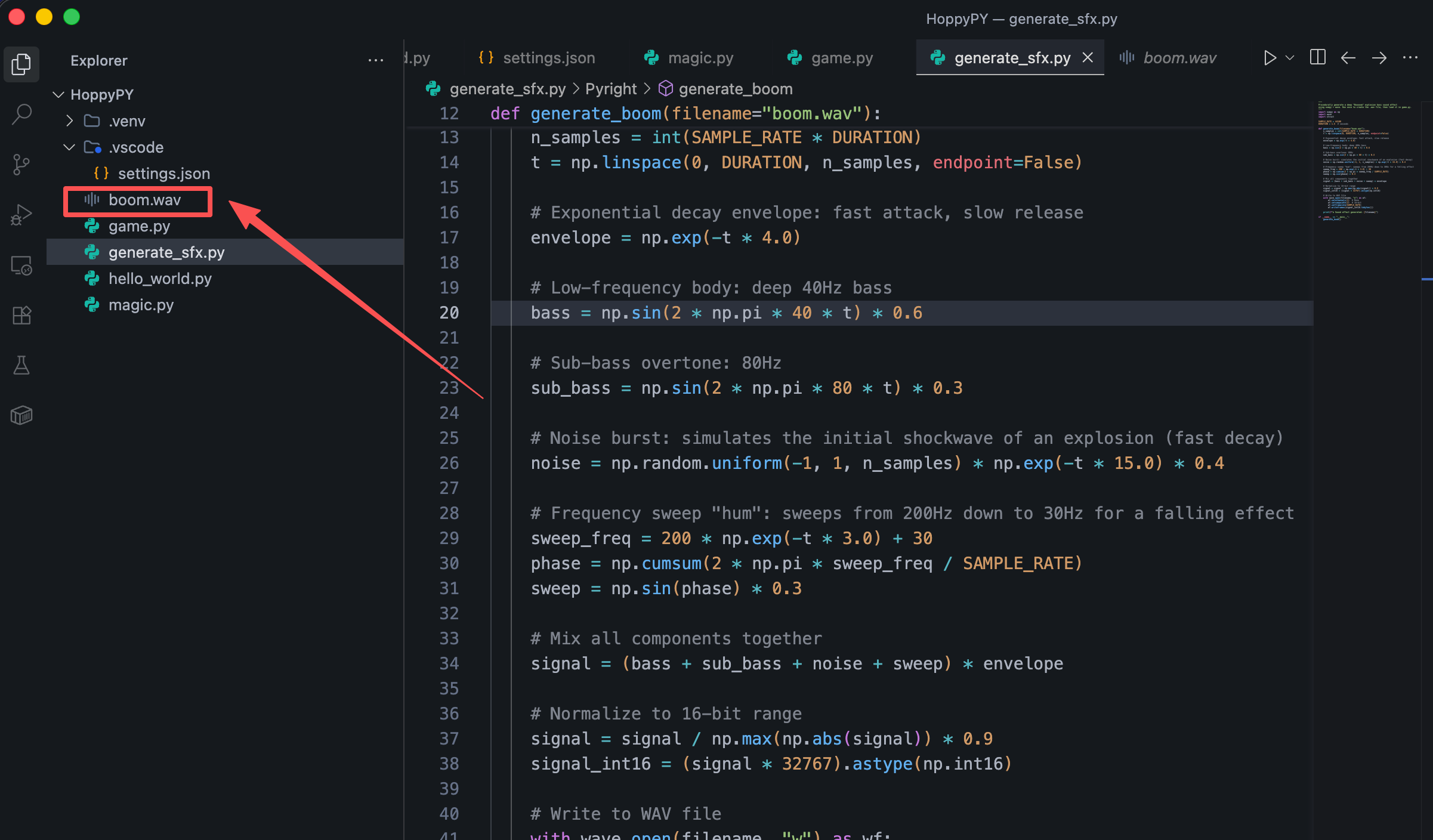
Note: Since I don't have any pre-made audio files on my local hard drive, please use Python (e.g., numpy or wave library) to first automatically compute and generate such an explosion .wav sound effect file locally in a very short time, then call it directly during the game collision.
Time to witness magic. The Agent will pause to think briefly. Not only will it modify your main game code, but it may also quietly write a separate script in your folder specifically for generating sine waves and white noise static, and automatically produce an explosion.wav file.
When you run the game again, with the screen full of approaching balls, you accidentally hit one… "Boom!" A deep electronic sound effect blasts from your speakers. Without typing a single line of code, you've not only built the core mechanics but also moonlighted as a digital game sound designer.
Conclusion: Your Director's Chair is Secured
In this lesson, you conducted three extremely simple natural language conversations, following the "Small Steps, Fast Runs" agile principle, transforming a dull physics demo into a fully-featured digital survival game.
Fine-tuning through continuous iterative context — this is the future of software development.
Now, take a deep breath. If you can tackle complex game engineering involving real-time loop rendering, physics collisions, and acoustic model synthesis in just minutes using natural language… then writing an automation script, building an invoice organizer, or creating a web scraper in the future — wouldn't that be a total cakewalk for you?
Are you ready? We're unplugging from the Matrix and leaving the game console behind. In the next phase of lessons, we'll officially start using Vibe Coding to solve the most frustrating real-world tasks at work!
By clicking this, you confirm you have completed the Vibe Coding mission in your local IDE.