The Report Compiler
Every Friday at 5:00 PM, you have a dreaded administrative task.
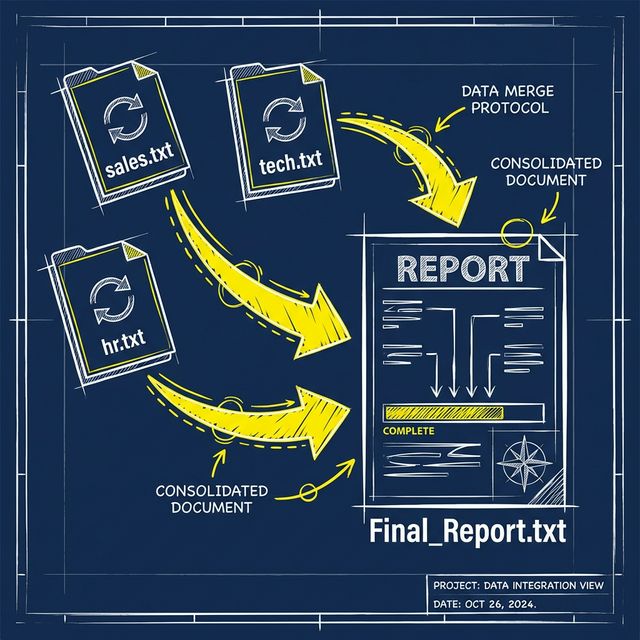
The Problem: You need to collect weekly status updates from three departments: Sales (sales.txt), Tech (tech.txt), and HR (hr.txt). You manually open each file, copy the text, and paste it into a single Final_Report.txt to email to the boss. It's tedious and error-prone.
The Goal: Write a script that iterates through a list of file names, reads their contents, and automatically appends them into one master file.
When opening a file to save data:
"w"(Write): Overwrites the entire file. If you use"w"in a loop, only the last department's report will be saved."a"(Append): Adds to the end of the file. This is crucial for combining multiple files together.
The Tools: Datetime
Real architects timestamp their logs. We can import the datetime module to stamp our final report.
from datetime import datetime

# Get current date and time
now = datetime.now()

# Format it to clearly say "YYYY-MM-DD"
date_string = now.strftime("%Y-%m-%d")
print(date_string)
Your Task
You have three files: sales.txt, tech.txt, and hr.txt. Write code that combines them into Final_Report.txt.
Use with open("Final_Report.txt", "w") as final: to create the master file. (Using "w" first clears any old reports from last week).
Inside that with block, write a title and today's date to the file. E.g., final.write(f"WEEKLY REPORT - {datetime.now().strftime('%Y-%m-%d')}\\n\\n")
Create a list: files = ["sales.txt", "tech.txt", "hr.txt"]. Start a for file_name in files: loop inside the main with block.
Inside the loop, use a nested with open(...) to read the current department's file ("r" mode).
Read the content of the department file using .read(), and .write() it into the final file, followed by a newline \\n to separate the departments.
Suggested SolutionExpandCollapse
By nesting with statements, we safely pipe data from multiple sources into a single destination. This is the essence of automation!
from datetime import datetime

departments = ["sales.txt", "tech.txt", "hr.txt"]

# Open the final destination in Write mode (to clear it)
with open("Final_Report.txt", "w") as final_file:

  # Write the header
  today = datetime.now().strftime("%Y-%m-%d")
  final_file.write(f"--- WEEKLY REPORT ({today}) ---\n\n")

  # Loop over the source files
  for dept_file in departments:

      # Open each source file in Read mode
      with open(dept_file, "r") as source:
          content = source.read()
          final_file.write(content)
          final_file.write("\n\n") # Add spacing between reports

print("Report Compilation Complete!")