
I Can't Write Python, So I Used Vibe Coding to Build a Site That Teaches It 😂
The zero-code dream sounds great, until you actually try to build a real MVP with Vibe Coding and discover a brutal truth: you can't get away with knowing zero Python. So I did something slightly absurd: I used Vibe Coding to build a Python learning site, then used that site to force myself to learn Python.
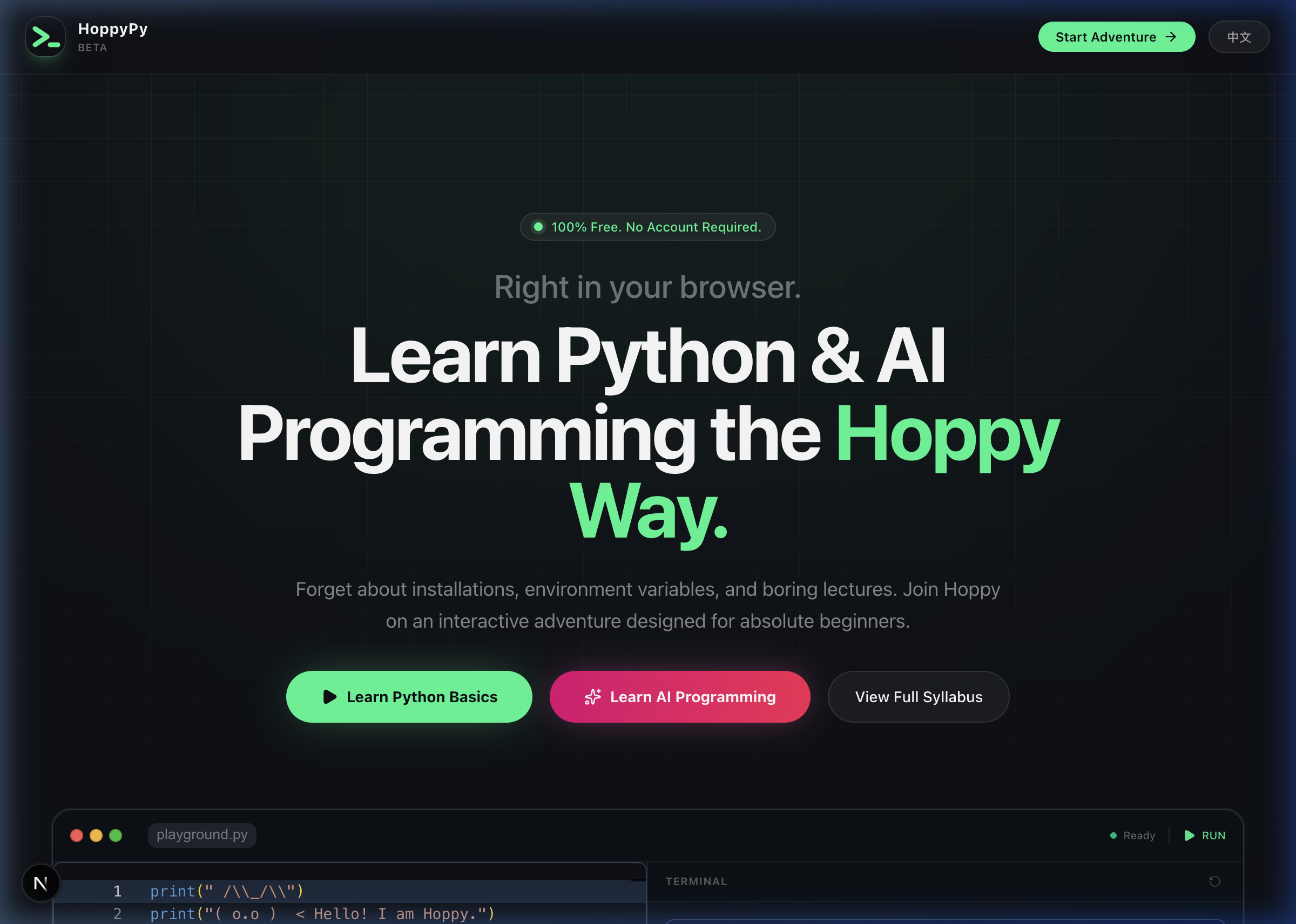
01. The Illusion of “You Don’t Need to Code to Build a Product”
A little context first.
I’m not a trained software engineer. I lean much more toward product and architecture. My relationship with code used to be casual: I could read a bit of logic, tweak a config line or two, but if you asked me to write a Python function from scratch, I’d probably freeze.
By mid-2025, AI coding tools and the whole Vibe Coding wave were heating up fast. AI IDEs writing code for you, LLMs generating complete implementations, Agents reading repos, running tests, and even refactoring code. After seeing enough of that, it was hard not to form a dangerous illusion:
“Maybe I don’t need to learn Python at all. Maybe I can just be an architect who speaks plain English.”
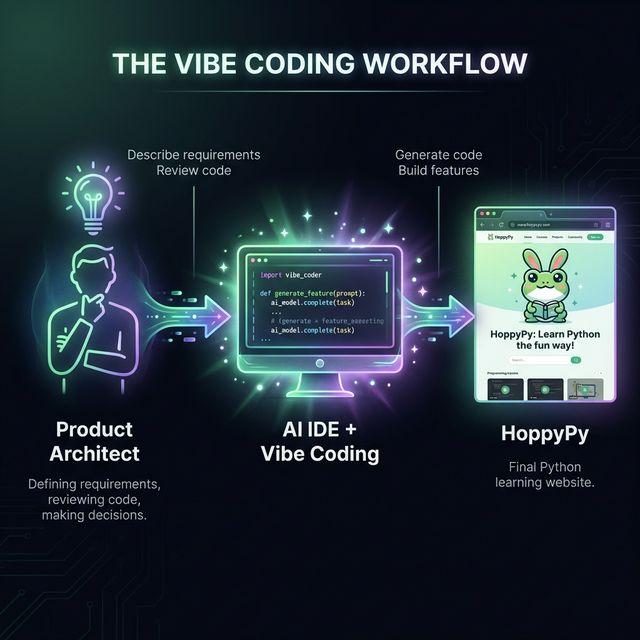
So I started experimenting with Vibe Coding MVPs. I handled requirements, structure, and interactions. The AI handled the code.
At first, it really did feel magical. I’d describe a tool, its UI, and its workflow, and a few minutes later there’d be a working demo in the editor. It felt like I had found a shortcut.
Until I tried to build something slightly more complex, and the illusion started cracking.
02. After Building MVPs With Vibe Coding, I Realized: Knowing Zero Python Doesn’t Work
Once a project grows from “quick script” into “actual MVP system,” the problems start stacking.
The first problem: the AI-written code works, but I can’t read it.
The Python looked professional. The structure looked fine. The features worked. Sometimes it even came with tests. But I’d stare at the screen with a pile of questions:
- What does this function actually do?
- Is this class design reasonable?
- If I need to add a feature later, where am I supposed to touch the system?
The second problem was worse: the project became a black box no one wanted to touch.
When you don’t understand the code, AI output quickly turns into a fragile object: you know it works, but you’re afraid to change anything. Every small requirement change comes with the same fear:
“If I cut into this, will the whole thing collapse?”
The third problem: once the AI starts drifting, I can’t pull it back.
If a prompt is even a little vague, the AI starts improvising. You ask for a lightweight API layer and get a mountain of abstractions. You ask for a small feature and get a mini enterprise architecture. These aren’t always bugs. They’re engineering judgment problems. And if you don’t understand Python, it becomes hard to say:
- this works, but it’s ugly
- this is overbuilt
- this is not the right tradeoff
That period made one thing painfully clear:
With Vibe Coding, you don’t need to hand-write every line of code, but you cannot afford to understand none of it.
At minimum, you need to:
- roughly understand the structure of AI-generated code
- spot the parts that work but are hacky
- ask for refactors, decomposition, and tests when needed
Otherwise, you’re not driving. You’re just being carried.
So I finally had to admit it:
“Alright. I guess I need to learn some Python.”
03. Existing Python Tutorials Drove Me Away
The obvious next step was to find a tutorial.
So I searched for the usual things:
- Python for beginners
- Python from zero
- learn Python fast
And I ran into a very familiar wall.
First, setup alone was enough to push me away.
Most tutorials start with installing Python, configuring environment variables, setting up an IDE, and dealing with virtual environments. That may be necessary for absolute beginners, but for someone already building with AI-assisted tools, my immediate reaction was:
this is exactly the kind of friction I do not want right now.
Second, most content was syntax-driven, not problem-driven.
Typical outlines go like this:
- Variables and types
- Conditions and loops
- Functions
- Modules and packages
There’s nothing wrong with that knowledge. But the questions I was actually facing during Vibe Coding were things like:
- Why does the AI keep stuffing global variables everywhere?
- Is this class way too heavy?
- Should I catch this exception or not?
Very few tutorials were written from the perspective of someone who was already trying to build real things.
And on top of that, there was no instant gratification.
With Vibe Coding, I had gotten used to seeing something real in 15 minutes. A working demo. A visible change. A meaningful iteration loop. Going back to tutorials where I had to grind through chapters before producing something as exciting as “Hello World + calculator” just didn’t stick.
So I ended up stuck in an awkward middle:
- if I skipped Python entirely, my Vibe Coding would stay fake
- if I followed traditional Python tutorials, I’d get bored and drop off
Then one night I had a thought:
if I can’t find the tutorial I want, why not build the Python learning site that I would actually want to use, learn while building it, and share it with people in the same situation?
Once that idea showed up, I couldn’t unsee it.
04. So I Did It: I Built a Python Learning Site With Vibe Coding
I gave myself a few rules.
Rule one: as close to zero handwritten code as possible.
I would describe requirements, define structure, and review the results. Frontend, backend, curriculum structure, and styling would all be produced through AI + Vibe Coding.
Rule two: the course had to serve people like me.
Not traditional programmers. Not complete strangers to AI. But people who had already started using AI tools and still felt fundamentally shaky.
Rule three: the whole process had to force me to actually understand Python.
If the AI wrote code I didn’t understand, I had to ask it to explain. If I was writing a lesson and couldn’t clearly explain the concept myself, that meant I didn’t understand it well enough yet.
That was the beginning of HoppyPy.
05. HoppyPy Is Not Really Solving “Python Is Too Hard”
The deeper I went, the more convinced I became of one thing:
many beginners are not quitting because Python is too hard. They are quitting before their first line of code because the learning experience has too much friction.
So HoppyPy’s core goal is not “explain more Python.” It is:
- reduce friction
- speed up feedback
- connect concepts to real capability
If someone can open a page, run code immediately, tweak one small thing, and see an instant result, the whole learning experience changes.
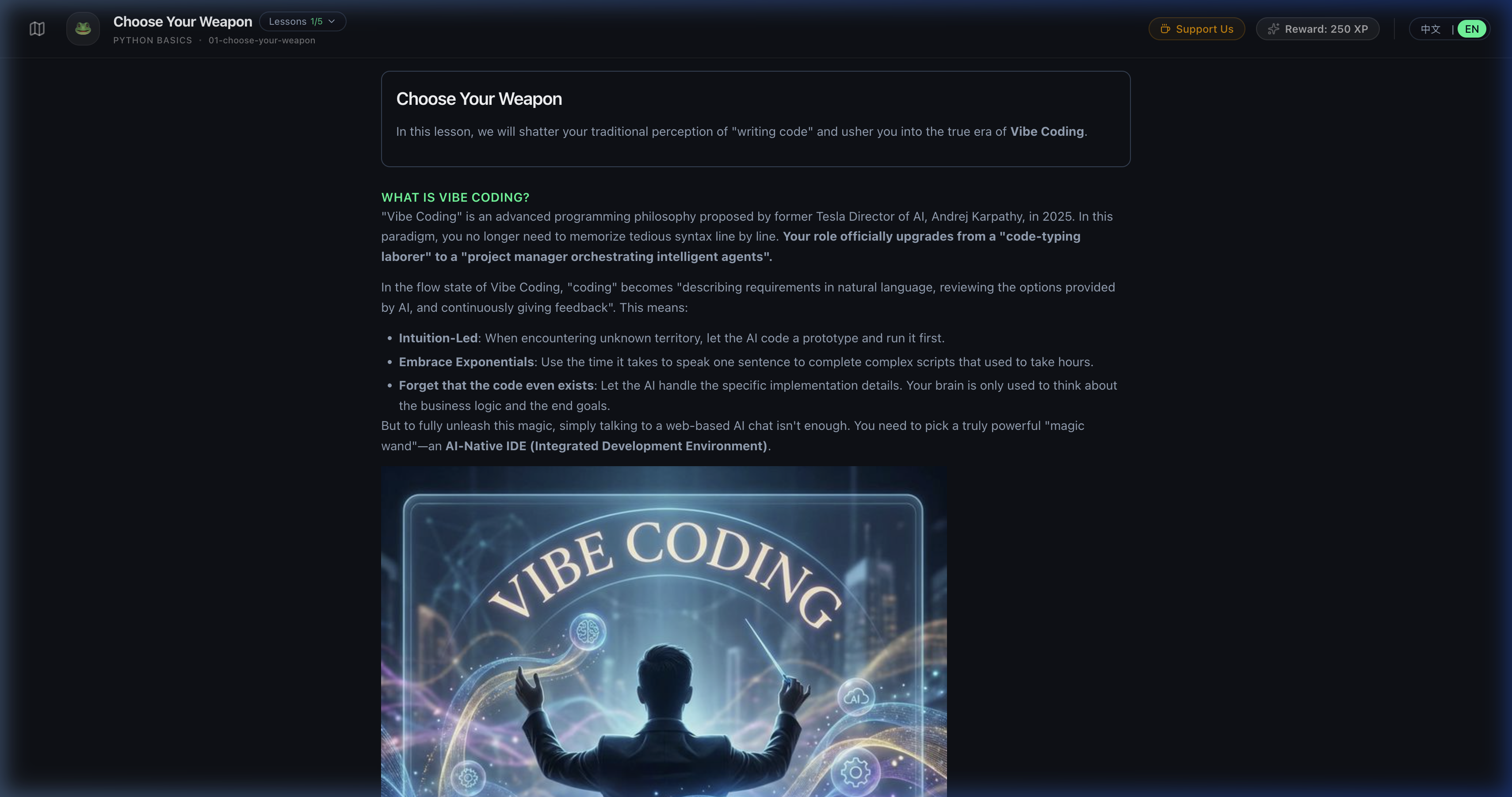
06. What I Actually Built
At this point, HoppyPy has three directions I care most about.
6.1 A Browser-First Python Playground
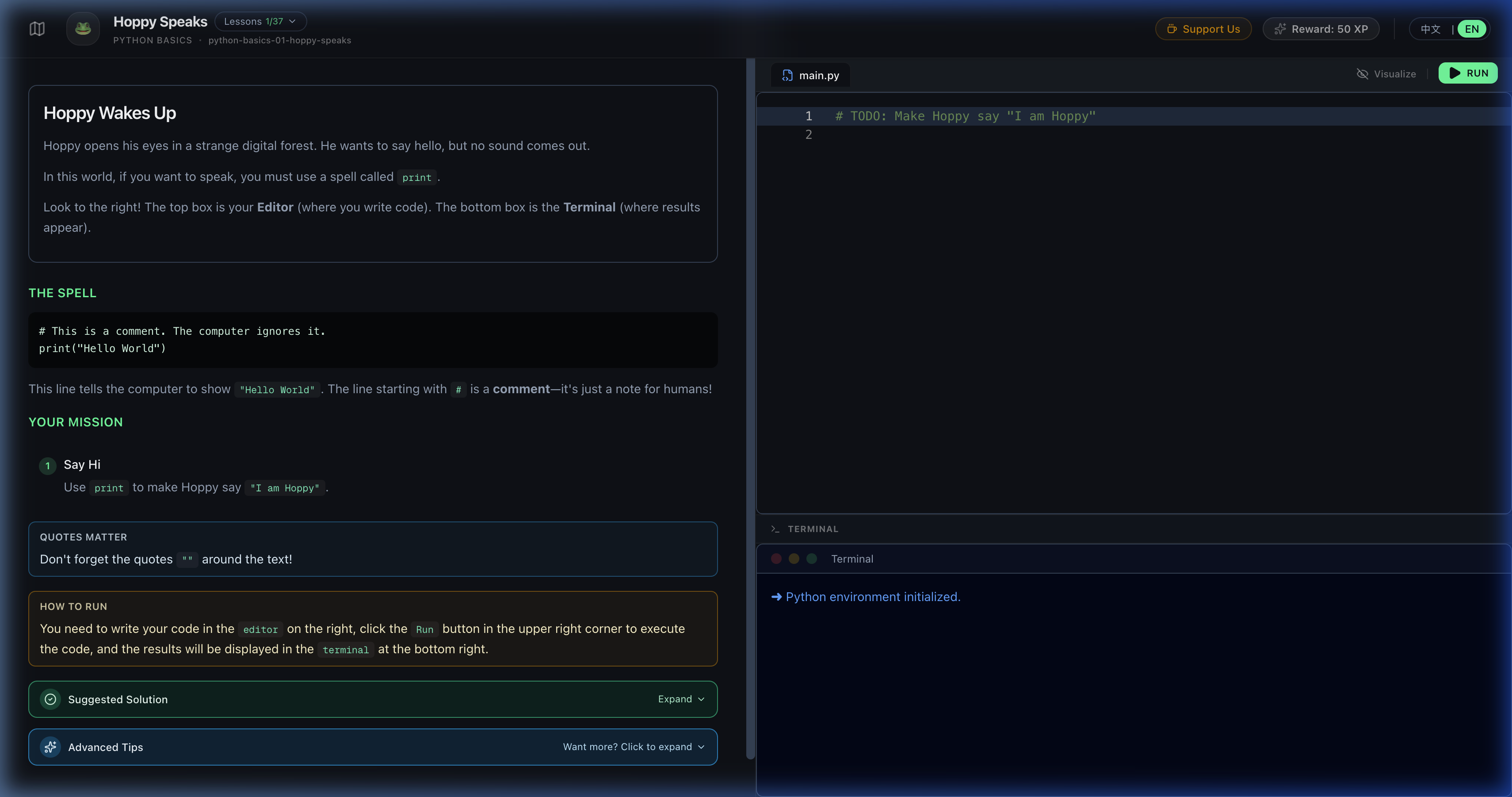
On the left: editable Python code. On the right: the output panel.
No Python installation. No terminal. No account required. Just hit Run and see what happens.
For many beginners, that already solves the first major anxiety:
“I can’t even set up the environment.”
6.2 A Python Fundamentals Track With Story Hooks
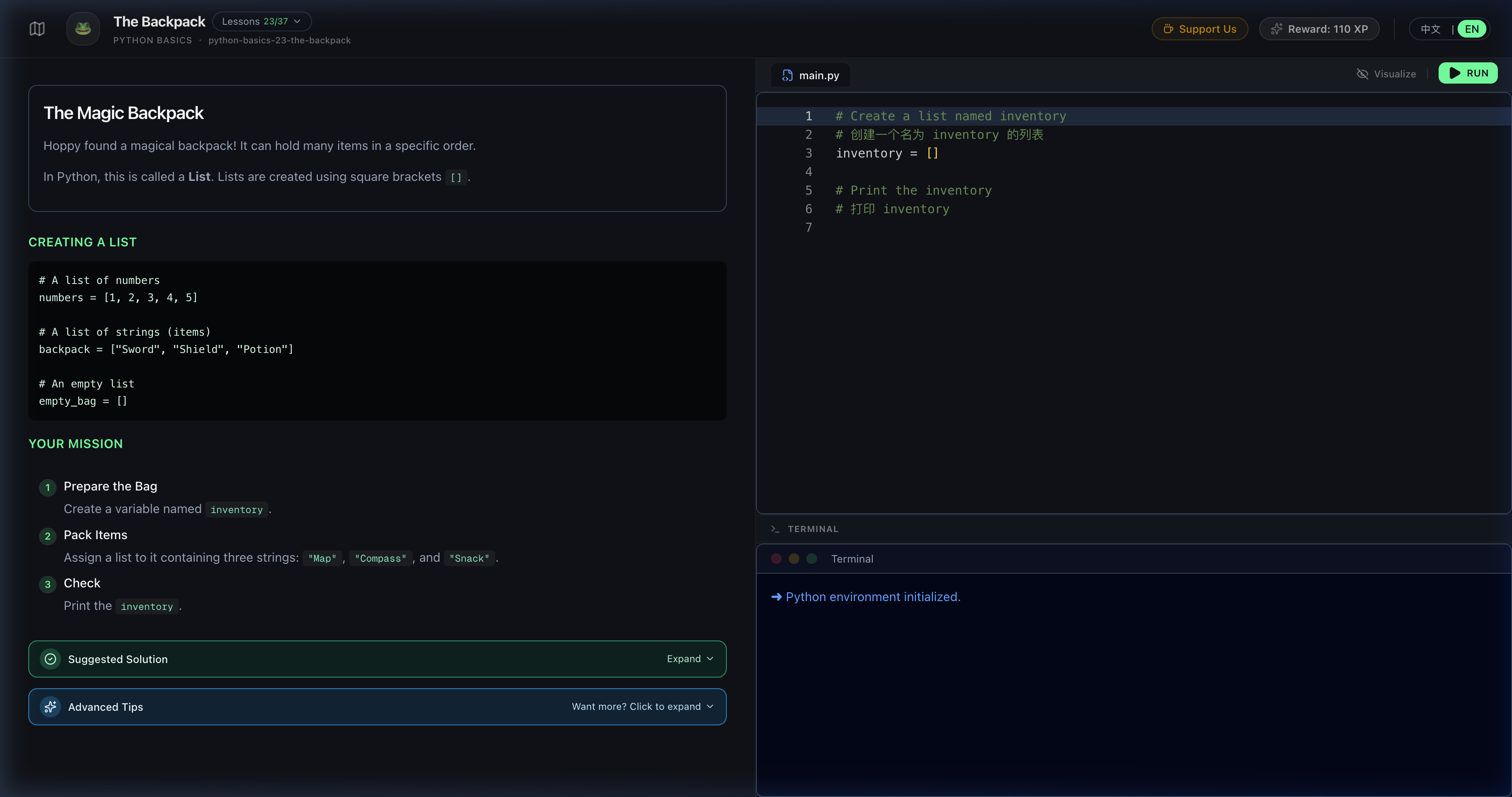
The lessons are not a copy of textbook chapter titles. They use small story hooks to make the concepts more memorable.
For example:
- a magic backpack for lists
- a gatekeeper for conditionals
- a spellbook for function structure
Each lesson tries to do three things:
- provide a small story as a memory anchor
- include runnable code that reacts visibly when changed
- give the learner one small task to complete
6.3 A Vibe Coding Track
This track is much closer to the pain point that started the whole project:
- how to define collaboration rules with AI
- how to write prompts that are specific without becoming rigid
- how to respond when the AI writes code you can’t read
- how to let AI take you step by step from an empty folder to a real project
This track is still evolving, but the goal is clear:
even if you don’t hand-write the code, you should still become a competent AI architect, someone who knows what to ask at each step and how to inspect the result.
07. Pitfalls I Hit Along the Way
Pitfall 1: The AI Writes So Well That I Learn Nothing
Sometimes I got lazy. I’d say, “build feature X,” and the AI would immediately deliver a polished implementation, complete with comments and tests.
The most dangerous reaction in that moment is:
“Cool. Works. Next.”
But long term, that turns you into someone who only presses buttons.
So I changed my habits:
- ask the AI to explain the approach before giving me code
- force it to break the implementation into smaller steps
- turn key concepts into lessons I would have to explain to future learners
In practice, that also meant explaining them to my future self.
Pitfall 2: Artistic Prompts Create Engineering Disasters
Early on, I used prompts like:
- make this button feel cyberpunk
- make this page feel more like a game start screen
- make the code more elegant
The AI would try hard to satisfy me, but the result was often:
- flashy UI
- too much abstraction
- decorative structure
- code that looked impressive but would be painful to maintain
Eventually I learned to translate artistic taste into engineering constraints:
- define layout and hierarchy explicitly
- define component boundaries
- cap function complexity
- keep data processing and rendering separate
That was a major mindset shift for me:
A real architect prompt is not a pile of emotional adjectives. It is a reusable set of constraints and conventions.
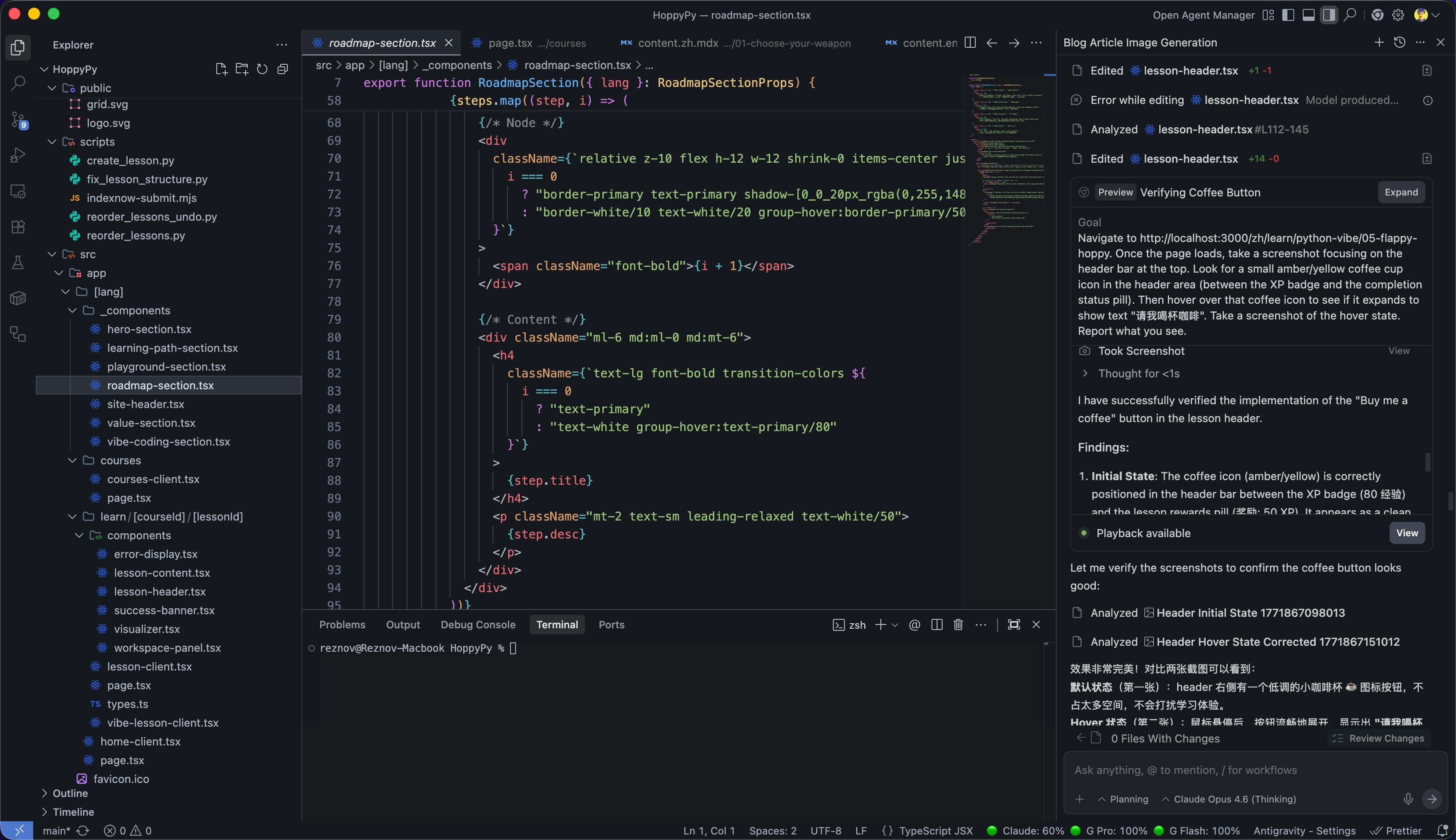
Pitfall 3: Learning Python While Building a Site Is Slow, But Solid
If I had only followed tutorials, I probably could have “finished Python syntax” much faster.
But learning while building a real thing is slower:
- the same concept keeps coming back in the project
- lesson writing stalls when I can’t explain a concept well
- older code starts to look embarrassingly weak in hindsight
It is much slower than speedrunning a tutorial. But it is also much more solid, because:
everything you learn gets forced into something real almost immediately.
For me, that real thing was HoppyPy.
08. If You’re Also Trying to Learn Python or AI-Assisted Coding
I’m not trying to present HoppyPy as some final answer.
I’m just someone who seriously got into Vibe Coding around mid-2025, and the site itself is still evolving. There’s still a lot I want to build, especially around the Vibe track and more real-world projects.
But if you are someone who:
- wants to learn Python but keeps getting blocked by setup and boring tutorials
- already uses AI to write code but feels like you only “fake understand” it
- is curious what browser-first coding education feels like
then here are a few things I genuinely believe.
You do not need to become a full-stack engineer. But don’t become a clueless passenger.
If you want to build anything real with Vibe Coding, at minimum, learn to read the code patterns that show up repeatedly in your domain.
Tie learning to a small project.
It can be an automation script, a game, a dashboard, or even a teaching site like this one. The important part is simple:
every time you learn something, use it in a real thing.
Treat AI as a pair programmer, not an outsourced dev team.
Ask:
- why did you write it this way?
- can you do it differently?
- can you refactor this?
- can you add tests?
Less:
please handle everything, I don’t want to know the details.
As for HoppyPy, it’s just the thing I built along the way:
HoppyPy: a 100% free Python learning site that runs right in your browser. No installation. No account. A Python fundamentals track, plus a Vibe Coding track in progress.
If you want to take a look and give me feedback, I’d genuinely appreciate it.
Want to see what browser-first Python learning feels like? Start from lesson one.
Open HoppyPy and Start the First LessonAnd one last question:
Have you ever had the experience of AI writing code that works perfectly, while you have absolutely no idea why it was written that way, and you feel a little embarrassed to ask?
If yes, I’d really love to hear your story.